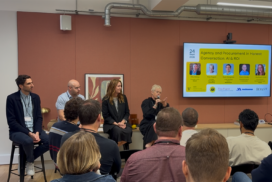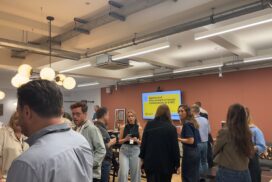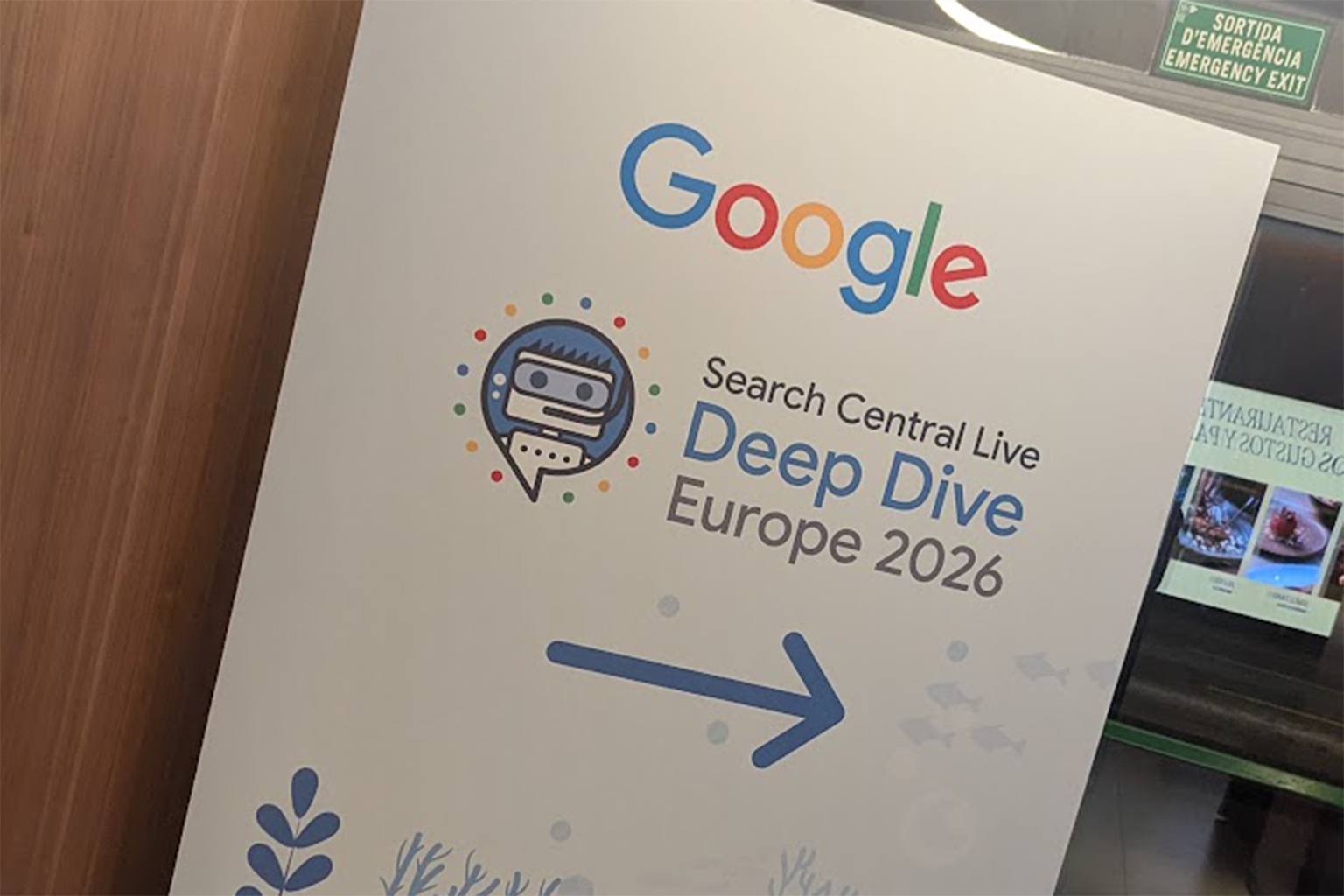

Search Central Live Deep Dive is Google’s in-depth event where the Search team explains how Google crawls, indexes and ranks the web. This week John Campbell, our Head of Innovation and AI, is in Barcelona for the latest edition this time in Europe and Day 1 was all about crawling.
Between the main sessions there are 7-minute lightning talks from both Google and external speakers. There are also due to be poster sessions in the second hall from Day 2. That’s where his session will be on Day 2.
Below are his key takeaways from each session on Day 1 where there was one track to follow.
Starting with a quiz
Day 1 kicked off with a 10-question quiz to judge everyone’s SEO knowledge. The answers were given in the afternoon.
Opening keynote: the mission hasn’t changed, users have
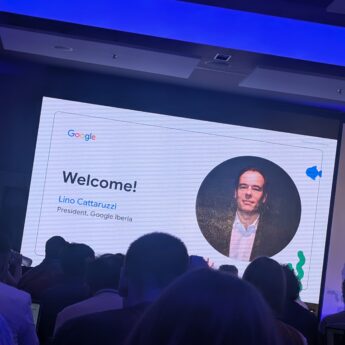
Lino Cattaruzzi, President of Google Iberia, opened the day. His point was that Google’s mission is the same – “to organize the world’s information and make it universally accessible and useful”, but user expectations keep rising, both in how people search and the type of content they expect to see.
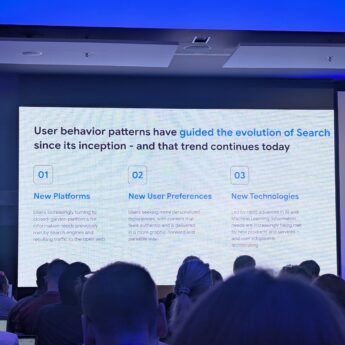
He said user behaviour has guided how Search evolved from the start, and that is still true today. He split it into three shifts:
- New platforms: people are turning to closed-garden platforms for information they used to get from search engines, and the open web loses that traffic.
- New user preferences: people want personalised content that feels authentic, delivered in a more visual and easy-to-scan way.
- New technologies: AI and machine learning are meeting information needs through new products and services, and adoption is speeding up.
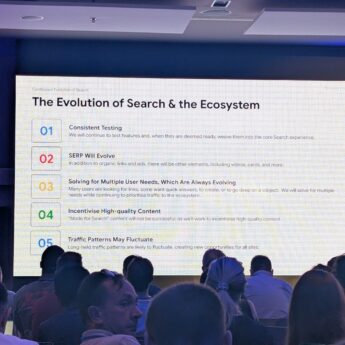
He closed with five points on how Search and the wider ecosystem will evolve:
- Consistent testing: Google will keep testing features and fold them into core Search once they’re ready.
- The SERP will evolve: beyond organic links and ads, expect more elements such as videos and cards.
- Solving for multiple user needs: some people want links, some want quick answers, some want to create or go deep on a subject. Google will serve all of these while continuing to prioritise traffic to the ecosystem.
- Incentivising high-quality content: “Made for Search” content will not be successful.
- Traffic patterns may fluctuate: long-held traffic patterns are likely to change, which Google framed as new opportunities for all sites.
It set the day up well as Garry Illyes and Cherry Prommawin took over for the rest of the day.
What’s new in Search: people are searching more, and going deeper
Gary Illyes from Search Relations took the next session. His main point was that AI has people searching more, and going deeper on each topic. Hence the name of the event.
The AI Mode stats he shared back this up:
- AI Mode queries have doubled every quarter since launch
- The average AI Mode search is ~3x the length of a traditional Search query
- 1 in 6 AI Mode searches are multimodal, using voice or images
- Follow-up queries in AI Mode have grown by more than 40% on average per month in the US since launch
He also broke down four new ways people are using AI Mode:
- Explore: brainstorming queries have grown 30% faster than queries overall since launch. E.g. searches starting “where to”, “ideas for” and “where should I”.
- Learn: people use it to break down complex topics, e.g. study guides, quizzes and professional development.
- Decide: searches starting with “which” have grown 40% faster than AI Mode queries overall in the past six months.
- Do: planning queries have grown 80% faster than AI Mode overall in the past six months. E.g. finding a restaurant, building an itinerary or financial planning.
The most important point for me was the length and complexity of these queries. One URL isn’t going to answer a long, multi-part question.
So Google has to use AI to build the answer from several sources. That’s the reason AI Mode and AI Overviews works well for users.
How Search works and where AI fits: good SEO is good GEO
Cherry Prommawin and Gary Illyes then walked through the 101 of how Search works, from crawling through to serving results.
The useful clarification was on crawlers. Google Search, AI Overviews and AI Mode all rely on the same main crawler, Googlebot.
Gemini is separate and uses a different crawler. For now at least.
The message from the pair was that showing up in AI Overviews and AI Mode is built on traditional Search. The overlap between the two is huge.
Put simply, good SEO is good GEO.
How crawling works
Cherry Prommawin and Gary Illyes came back after the lightning talks to cover how crawling works.
The first part was a basic overview of how Google crawls the web. Great for anyone new to the industry.
How crawl errors affect Search
The second part looked at errors. They walked through the status codes Google sees when it crawls, e.g. 200, 301 and 302.
Two problems stood out as growing.
DNS and CDN errors. DNS errors are harder to debug. CDNs are also blocking more bot traffic, so these issues are happening more often.
E.g. a new Cloudflare setup might end up blocking Googlebot. Those blocks show up as HTTP errors.
Soft 404s. These are becoming more of a problem. A CAPTCHA challenge page can return a 200 OK, so Google sees a page that looks fine but has no real content on it.
How Google reads robots.txt
The last block of the day started with Gary Illyes on how Google interprets robots.txt.
It was a 101 on robots.txt. A useful refresher, even for people who’ve been doing this a while.
Dave Smart, Tech SEO at Tame the Bots: Respect the robots.txt
Dave followed with a lightning talk on common robots.txt mistakes.
The pick for me was resources hosted on other domains. If a page loads files from another domain, e.g. a CDN or a separate subdomain, it’s that domain’s robots.txt that applies, not yours.
So a page can look fine in your own robots.txt, while key files it needs are blocked somewhere else.
What would you do? Crawling edition
The most fun session of the day. It was run like a gameshow, with John Mueller and Gary Illyes answering crawling disaster scenarios on whiteboards.
They came with team names too, including Delicious Toast, spammyguy.com and bestfriedchicken.com.
1. The stale edge cache. Marketing has updated metadata and copy on 500,000 product pages. The CDN edge cache is set to 30 days, you’ve hit the cache-purge API rate limit, and Googlebot is crawling the old cached versions.
- Gary: nothing, just chill
- John: serve a 503 on robots.txt to pause Google’s crawling
2. The CDN 429/503 panic. During a flash sale, the WAF mistakes crawl traffic for an attack and serves 429 and 503 errors to Googlebot. Crawl rate drops 90% across the domain.
- Gary: check server usage and fix the WAF
- John: nothing
3. The staging subdomain leak. A developer creates a staging subdomain with no authentication. Googlebot finds it through a staging link left in a production JS bundle and crawls 50,000 staging URLs.
- Gary: kill the dev
- John: use the removal tool in Search Console
There were a few more scenarios, but they couldn’t be answered without “it depends”. Which is about as honest an SEO answer as you’ll get.
How Google thinks about crawl budget
Cherry Prommawin closed the day’s main sessions with how Google thinks about crawl budget.
Google runs one central crawling system for Search, Ads, Shopping and Images. Its main job is to fetch from the web without overloading anyone’s servers.
Crawl budget is made up of two parts, crawl rate limit and crawl demand.
Crawl rate limit (or hostload) is shared across all of Google’s crawlers for your host. So Ads and Images crawling comes out of the same allowance as Search.
It’s driven by:
- connection time
- time to first byte
- 429 or 5xx status codes
If any of these go up, Google slows the crawl down.
Crawl demand is driven by:
- quality of the site
- how often URLs change
- how popular they are on the web
When Google doesn’t know the quality or popularity of a URL, it uses the aggregate for its parent path. Then that path’s parent, and so on.
Cherry also covered what burns crawl budget. E.g. errors, useless pages and infinite URL spaces like calendars and parameters.
She finished by walking through how different status codes affect crawling.
Highlights from the lightning talks
Lightning session A: automation and AI
The first set of lightning talks came straight after lunch.
James Powley, SEO Director at Blue Array: AI Fearful to AI Advocate
James spoke about how AI has helped with SEO data analysis and deliverables. His advice was to pick the parts of the process where AI actually helps.
The decisions at the start and the end are usually human. AI does the work in the middle.
His final point was that the mockups should come from the human.
Rafael Kovashikawa, AI Engineer & SEO Specialist at FUSE: When AI Lies About Your Search Data
Rafael’s talk was on the risk of using AI for analysis. It can pull the data correctly and still reach the wrong conclusion.
His fix is to ask for the receipts. Get the model to show how it did the calculations and why, then use a second model to check the work in more detail.
Lino Uruñuela, Technical SEO at Mecagoenlos.com: Auditing JSON-LD with AI
Lino used AI to audit and build schema. He framed it as a game, with rounds and gates, to test which AI models did the best job at each step.
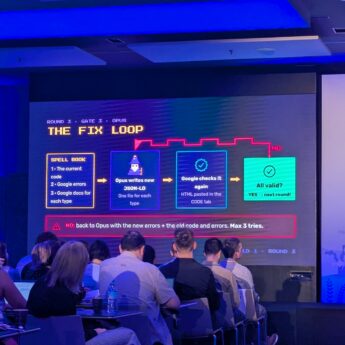
The round that stood out was the fix loop. The model gets the current code, Google’s errors and Google’s documentation for each schema type, then writes new JSON-LD, one file per type.
Google’s checker validates it again. If there are still errors, it goes back to the model with the new errors plus the old code and errors, for a maximum of 3 tries.
It’s a good example of Rafael’s point in practice. The AI does the work, but a deterministic check decides whether it passed.
Kira Breuer, SEO Manager at Greven Medien: The Basics of Automating Monthly Reports in Agency Settings with AI-assisted Coding
Kira took a monthly report and automated it with Python, using the Search Console API. A good intro to how this can be done.
One point to add. The API works well, but you’ll hit its 50,000 row limit on bigger sites.
Our suggestion is to use the Search Console bulk data export to BigQuery instead. The daily export doesn’t have that limit.
Carlos Ortega Roldán, Freelance SEO Consultant: Preparing Your Site for Humans and Agents
Carlos focused on AI agents, given the time. He had a clear list of what not to bother with:
- llms.txt: not needed
- Markdown versions of pages: these create duplicate content
- Robots.txt: agents acting on a user’s request can ignore it
And what does help, based on how agents read a page. They use screenshots, the DOM and the accessibility tree.
- Keep CLS low, so content isn’t moving around when an agent takes a screenshot
- Use schema as a second confirmation of what’s on the page
- Nest HTML headings correctly
- Use semantic HTML landmarks, e.g.
navrather than adiv - Add ARIA markup for accessibility
- Look at WebMCP to help agents use forms and interactive elements
Most of the list is good accessibility practice. What helps a screen reader also helps an agent.
Thiago Pojda, SEO Director & Entrepreneur at SIXT SE: GEO is not “Just SEO” (or maybe it is?)
A nice counterpoint to Google’s “good SEO is good GEO” message from the morning.
Thiago’s point was that with SEO we could score things and put a number on them. GEO is harder to measure.
He was open about what the industry got wrong. E.g. pushing JSON-LD schema as a way to get into AI answers.
On listicles, his view was that the problem is they work. Which makes them hard to argue against, even when they’re not great content.
The new shiny thing is query fan-out, where AI splits one prompt into lots of background searches. His catch was that those fan-out queries aren’t always in the same language as the original prompt.
Eduard Blacquière, SEO & AI Search Consultant at Edwords Consultancy and co-founder of SEO Pro Academy
Eduard closed the session by going beyond visibility as the one AI tracking metric. He laid out five stages:
- Know: does AI know you exist? I.e. is your website in the training data.
- Associate: which topics does AI associate with your brand.
- Search: do the fan-out searches include your brand.
- Retrieve: are your pages retrieved when AI goes looking.
- Selection: are you picked and cited in the answer. This is where the AI visibility stats most of us already track sit.
A useful way to frame it. Visibility only measures the last step, so a low score doesn’t tell you which of the earlier four is the problem.
Lightning session C
Tobias Schwartz: spotting similar URLs
Tobias spoke about near-duplicate URLs and how to spot them. Common causes include encoding differences, http vs https, www vs non-www, and the same parameters in a different order.
He finished with tips to detect them, and how to stop them with rules on the web application. A nice follow-on from Cherry’s point on infinite URL spaces burning crawl budget.
Jovana Avramovic, SEO Consultant: From Technical SEO to AI Visibility
Jovana gave the last lightning talk of the day. Her point was that AI has changed the workflow, but not the foundations.
It fitted the day well. Almost every session came back to the same idea.
What this means for your site
The main message from Day 1 was that crawling is still the foundation, for Search and for AI. If Google can’t crawl a page properly, it won’t show up in AI Overviews or AI Mode either.
The things I’d check first:
- Your CDN and bot protection. Make sure it isn’t blocking or challenging Googlebot, and that challenge pages aren’t returning a 200 OK.
- Server response times. Rising time to first byte, slow connections and 429 or 5xx errors all slow Google’s crawl down.
- Duplicate and infinite URLs. Parameters, calendars, encoding, http vs https and www vs non-www all waste crawl budget.
- Robots.txt on every domain you load files from, not just your main site.
- Accessibility basics for agents. Heading structure, semantic HTML, ARIA and low CLS help AI agents read your pages. Skip llms.txt.
- AI tracking beyond visibility. Visibility only measures the last step, so look at whether AI knows your site, links it to the right topics and retrieves your pages.
None of it is new, which is the point.
Good SEO is good GEO.
Q&A
The day finished with a Q&A. What was said there stays with the people in the room.
What’s next
Day 2 moves on to indexing. That covers rendering, JavaScript, canonicalisation, international sites and how Google’s index is built.
Day 3 finishes with serving and ranking, AI features in Search and Google Trends.
John will also be in the poster sessions in the second hall on Day 2.
If you’re here, come and say hello.
Keep an eye out for Days 2 and 3 recap as well!