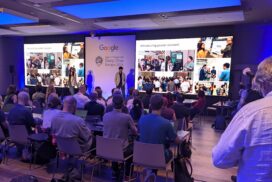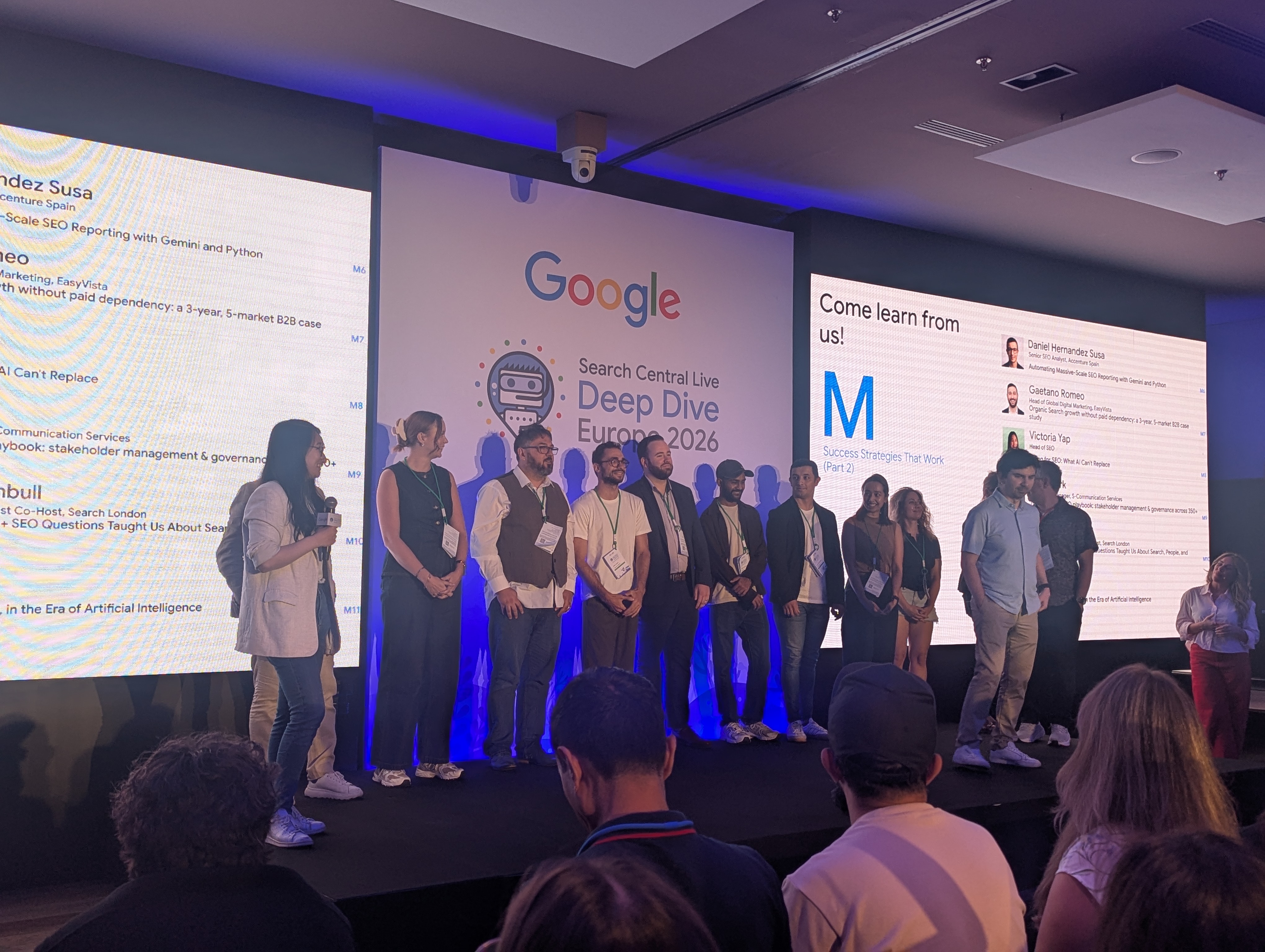

Search Central Live Deep Dive Europe is Google’s three-day event for SEOs, run by the Search Relations team in Barcelona.
Day 3 was serving day. Ranking, quality, Search Console and how long things actually take.
If you missed them, here are the Day 1 recap on crawling and the Day 2 recap on indexing.
Welcome to serving and ranking day
Day 1 was getting pages found. Day 2 was getting them into the index.
Day 3 picked up from there: once a page is in the index, how does Google decide which results to show?
The journey for the day ran from query understanding, to retrieval from the index, to ranking, to search features. E.g. someone searching “where to eat jamon” goes through every one of those steps before they see a result.
Making sense of users’ queries
John Mueller opened with query understanding. His point was that it helps to look at AI search and normal search separately.
Normal search
The first step is working out what language the query is in.
That is harder for brand terms, as a brand name often isn’t a word in any language. Google uses other data here, such as the user’s location.
Next, stop words that don’t matter get removed. E.g. “of” and “a”.
Then comes entity recognition. Here stop words are kept when they belong to the name. E.g. in “The Lord of the Rings” the “of” and “the” stay.
Synonyms
John called expansion with synonyms a very important part of Google’s ranking system. It bridges the gap between the words a user types and the words on your page.
It works a lot like searching with the OR operator. E.g. “fried chicken place in barcelona” is rewritten to:
[fried chicken (place OR area OR location OR restaurant) in barcelona]The same happens for photograph, image, picture and photo. It works in other languages too, e.g. Foto, Bild and Fotos in German.
Google’s synonyms aren’t always language-based. Some depend on context. E.g. “GM” means General Motors next to “car” and genetically modified next to “barley”.
Then there are siblings. These are words that play a similar role but aren’t interchangeable. E.g. Canon vs Nikon.
Google spots these from “X vs Y” searches. If people compare two things, it treats that as a sign they are not synonyms.
For language-specific sites, the advice was to focus on what your users actually search for.
AI search
The AI version of the flow adds a step. The query goes to the LLM, which creates fan-out queries and sends them back to the search engine. The results ground the answer, which comes back with links.
Fan-out expands the original query with distinct extra queries for better coverage. Each one still goes through query understanding.
Google’s fan-out queries don’t show in Search Console, as they don’t come from users. Other platforms might show them, e.g. the Gemini app or some APIs. Every AI system does this differently.
The summary slide
- Don’t worry about typos and plurals.
- Synonyms are expanded.
- Google’s synonyms aren’t always language-based.
- Some languages don’t use spaces.
- Query fan-out does even more expansion.
- There are many opportunities to find and show your content.
Finding things in the index
Gary Illyes then picked up retrieval: how Google finds candidate documents in the index once it understands the query.
Each document carries signals. Language and country are important ones at this stage.
But quality is what makes the final decision.
Retrieval happens before ranking. Google has to narrow the index down to a set of candidates first, then rank them.
Lightning session K: Facets of quality
Three community speakers, one theme. AI can write content, but people decide whether it is useful.
SEO is for humans, not robots
Robert Wojno, Content SEO Lead at Hostinger, spoke about how Google is getting more human in how it understands what people want.
His example compared two articles. A generic “What is VPS hosting?” guide got 1.6 million impressions. A niche guide on making a dedicated server in Palworld got 46,000.
The niche article won where it counts. Its click-through rate was 23 times higher and it converted better.
His advice was to rethink what problem each of your pages solves.
The human factor in AI-assisted SEO content
Juan Seguí, CEO of acceseo, spoke about why people need to check what AI produces.
His example was a double pram. Saying it is “compact” isn’t enough for a parent.
The real question is will it fit in the lift? Not just through the lift door, but with the pram and the parent inside at the same time.
After adding detailed FAQs that answered questions like that, organic clicks went up 14%. Pre-sale questions to the team went down too.
Saying what AI won’t
Noe Rivas, Digital Marketing Manager and Teacher at seosve, spoke about creating content of a quality that AI won’t produce.
A big part of that is choosing the right format for the audience.
Her example simplified a topic for people new to the industry, then built on it. It combined a page with a video.
The result ranked across AI Overviews, Gemini, YouTube and image search. And… Don’t be a basic Bitch – the phrase of the day for me.
How Google thinks about quality
Duy Nguyen, Search Quality Analyst at Google, took on quality.
There isn’t one ranking system that works out quality. There are hundreds of signals, and they differ by the type of result.
Google is also running a huge number of tests all the time.
Read the guidelines
The Search Quality Rater Guidelines are public. Duy’s advice was simple: read them.
They define quality through four things:
- Effort
- Originality
- Talent or skill
- Accuracy
He set that against commodity content, using the examples Google has shared before.
AI and the flood of content
AI makes content easy to create. That is flooding the web with low quality pages.
The point is the quality, not who wrote it. Low quality content can be human or AI generated.
His example of good was a shoe review. It used its own metrics, its own photos and detailed research.
Spam
A high percentage of content is spam, and that is what the spam updates target.
There have been more spam updates recently because there is so much more new content.
The team is now using AI to help catch more of it.
Uncovering trustworthy experiences on Discover
Eric Murillo, Trust and Safety Analyst for Discover at Google, covered how content gets into Discover.
First myth to go: there is no special Discover bot. It all runs on the normal Google index stack.
The eligibility gate
Every piece of content goes through an eligibility gate, which sends it one of three ways:
- Violation: it is checked for policy compliance and filtered out.
- Low quality: it is judged on E-E-A-T and filtered out.
- Safe and trusted: it becomes Discover eligible.
Even once content is eligible, image quality decides how it performs. A small thumbnail lowers click-through rate. A large, high-resolution image raises it.
Image recommendations
- At least 1,200px wide.
- 300,000+ total pixels.
- 16:9 aspect ratio.
- Enabled by the
max-image-preview:largerobots setting.
On quality, avoid generic images such as your site logo, and avoid text-heavy images.
Images are held to the same policies as the content. Avoid misleading, exaggerated or outrageous images.
AI slop and spam
Eric was blunt about the reality. AI slop is increasing, which means more poor quality content in the feed.
User feedback is really important here. It is what new spam filters are built from.
If a manual action is taken against your site, it will appear in Search Console.
What are quality updates?
Gary Illyes closed the morning with one number: Google filters out 40 billion spam pages a day.
He gave three reasons Google keeps updating how it judges quality.
1. Content formats have expanded
Search has moved from ten blue links to far more media. Each format needs its own way of judging quality.
2. Content breadth has grown
There are many more pages and sites than there used to be.
Core updates don’t focus on websites. They target content at page level, not at domain level. That is why some pages on a site go up while others go down.
3. Content issues
This is spam. Updates here improve how Google catches it, e.g.:
- Cloaking
- Doorway pages
- Scraped content
- Link spam
- Hacked content
Gary’s warning was that scaled content is now becoming more of a problem than link spam.
Quality prevails
The afternoon started with a prize under one seat in the room. Lucky for me, it was under the empty seat next to mine.
Then we worked through multiple choice questions on specific spam scenarios, putting the morning’s quality and spam talks into practice.
How search results are born
Gary Illyes came back to the serving journey with a new example: what happens if someone searches “where to eat orange”?
Orange could be a fruit, a colour or a brand. Data from previous users helps Google decide which meaning to serve.
He then covered the basics of search features.
Rich results and structured data
Rich results are generally driven by structured data.
AI results are different. They don’t need structured data, as they take text and build the result from it.
One for ecommerce
Google Images can use product images from Google Merchant Center. Merchant Center isn’t required to appear in image search, but it is another route in.
Shopping on Search: beyond the blue links
Alex Jansen, Software Engineer at Google, covered what’s new for shopping.
Conversational attributes
The headline was conversational attributes. This is product information that helps users, and their AI agents, find rich product detail on AI surfaces such as AI Mode.
They help AI systems understand the nuances of a product.
Rather than adding thousands of new fixed attributes, these are flexible.
Alex’s example was a kettle. The detailed questions people ask are things like:
- How much water does it hold?
- Is there a safety feature for boiling water?
Those answers are what conversational attributes are for.
Product highlights
He also flagged product highlights as another field that helps in AI search.
The overall message: the bar for quality product data has been raised.
Inside Search Console: what’s new and how to use it
Ariel Kroszynski, Front-End Engineering Manager for Search Console, walked through the features added over the past year.
The room was waiting to see if he would give us something new.
The past year
- Groups. A useful tip: you can create a regex from your groups.
- AI-powered configuration for setting up reports.
- Multimodal, the newest feature so far.
Generative AI reporting
This was the hot topic. There was no update.
The team is working on adding more AI search data to the reports, but there were no dates or details.
Dark mode?
He ended with a mock-up of Search Console in dark mode. It isn’t real, at least not yet.
Lightning session L: Understanding SERPs and your users
Three more community talks, this time on data, testing and what to measure.
Data-driven search strategy with agentic workflows
Nik Vujic, Founder of Get Stuff Digital, pulls all his Search Console and GA4 data into an LLM.
He runs agents that check query count. E.g. is an article ranking for more queries over time? That tells you more than clicks and impressions alone.
He also uses them for experiments, so he can change something and pull the test results back quickly.
CRO and SEO
Simon Vreeman spoke about building a hierarchy of evidence.
Any test should be built on expert opinion and case studies first.
He also covered working with senior stakeholders who have the big opinions. Get them on side, fix the basics, and then work on the tests later.
What SEOs can learn from ATL marketers
Alex Wright, Managing Director of Earned and Owned Media at iDHL, shared an example where clicks and impressions were down.
That drop is spreading beyond informational queries. His point was that the metrics we use today might not be useful in the future.
E.g. clicks could be down while transactions are up. So look beyond click data.
His example brand showed it well:
- Organic sessions halved (-47%), while direct sessions held (-2%).
- 2.7 times more enquiries per 100 search clicks.
- The brand’s share of all search clicks went from 17% to 38%.
- Google Ads click-through rate up 36%, with ad position flat.
- 1st or 2nd in all five AI engines, and named earliest in every one.
- 83% of its AI citations came from sites it doesn’t own.
Poster session M: Success strategies that work
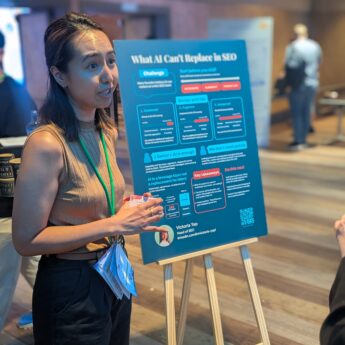
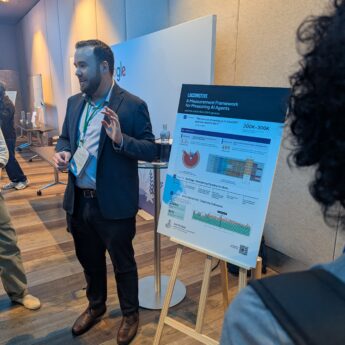
The poster session was busy. Several speakers had posters up, covering reporting, hiring and building community. Photos above.
Mastering the messy middle
Pablo Pérez, Senior Marketing Research and Insights Manager at Google, revisited Google’s well-known Messy Middle research on how people make decisions. The question this time: how is AI changing the decision process?
AI helps people do more research before they decide. They use it to explore and compare in more depth.
One trend stood out. More people are checking whether a brand is legit.
UK search interest for “is [brand] legit” has climbed steadily since 2020, and hit its highest point in 2026.
Trust is now part of the search journey. If people can’t find proof you are legit, they may not buy.
How long does it take to…?
This was the highlight of the day.
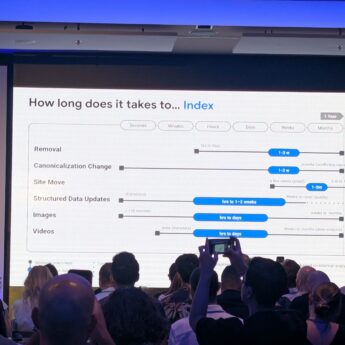
Gary Illyes showed Google’s own data on how long things take across crawling, indexing and serving. It was brand new information.
Each process had a fastest time, a typical time and a slowest time. The times are based on Google’s internal analysis.
One caveat from Gary: many of these processes are linked. E.g. a page can’t be indexed until it has been crawled, so delays stack up.
Crawling
| Process | Typical | Slowest |
|---|---|---|
| Discovery (new URL) | ~20 hours | Weeks to never |
| Refresh (known URL) | ~30 days | Weeks to never |
| Sitemap processing | ~24 hours | Up to 14 days, or never (quality) |
| robots.txt update | ~24 hours | 25 hours |
| Crawl capacity update | 4 hours to 1-2 weeks | 1-3 weeks (in recovery) |
| Crawl demand update | ~20 hours | Weeks to months |
Crawl capacity can drop in seconds when Google backs off, e.g. if your server struggles.
Indexing
| Process | Typical | Slowest |
|---|---|---|
| Rendering | Seconds to render, hours in the queue | Days to weeks |
| Meta annotations | 45-90 minutes | 1-4 days |
| Link annotations | Minutes to 1-3 weeks | Months |
| Indexing (end to end) | ~1.5 hours | Months or never (quality) |
| Removal | 1-3 weeks | Months |
| Canonicalisation change | 1-3 weeks | Months (conflicting signals) |
| Site move | 1-3 months | 6 months to 1 year+ |
| Structured data updates | Hours to 1-2 weeks | Weeks or never (quality) |
| Images | Hours to days | Weeks to months |
| Videos | Hours to days | Weeks to months (deep analysis) |
End to end means all the critical processes finish successfully. A small site move can be done in a few weeks.
Serving
| Process | Typical | Slowest |
|---|---|---|
| Removal in Search Console (owner) | ~2 hours | 24 hours |
| Snippet update | 1-2 days | Several weeks to months |
| Title update | 1-2 days | Several weeks to months |
| Text result image update | 1-2 weeks | Several weeks to months |
| Manual action removal | 1-2 weeks | 4-6 weeks, or much longer for dormant sites |
| Core update change | 3-6 months to recover | 6 months to 1 year (next core update) |
| Spam update change | 1-2 weeks (continuous) | Months (batch refreshes) |
Core updates take 2-4 weeks to roll out. Spam updates roll out in 1-2 days.
Why this matters
The word “never” shows up a lot, and it is usually tied to quality. Fast technical fixes don’t help if Google doesn’t think the page is worth it.
It also gives everyone realistic timelines. E.g. a typical site move takes 1-3 months to settle, and recovering from a core update typically takes 3-6 months.
Wrapping it all up: AI, Search and making sense of everything
Gary Illyes closed the three days by tying AI back to Google’s quality guidance.
He gave three messages:
- You should use AI. It can speed up your workflows and help with content, website and customer management. In short, it can make your life easier.
- Use AI responsibly. AI hallucinates. Especially when you create content briefs with AI, make sure you’re not adding to the sea of AI slop already on the internet.
- AI on Google is just SEO. AI features in Google Search use exactly the same processes as traditional results. We didn’t need a new acronym for mobile-first indexing or structured data, and we likely don’t need one for AI on Search.
His closing point was that AI results are built on SEO infrastructure. SEO isn’t dead.
There will be new shiny things that distract you. But ultimately, it’s SEO.
What this means for your site
- Make sure your pages are indexed. That was the quiet message running through all three days. If a page isn’t in the index, it can’t rank and it can’t be used in AI answers.
- Expect more spam updates. Google is dealing with a growing flood of AI slop. Expect more spam updates and new spam thresholds. Scaled, low-effort content is the risk.
- Judge quality by effort, originality, skill and accuracy. Original data, your own photos and real detail beat rewritten commodity content.
- Answer the detailed questions. Real-world FAQs, conversational attributes and product highlights all help people and AI understand what you offer.
- Set realistic timelines. A typical site move takes 1-3 months. Canonical changes take 1-3 weeks. Core update recovery typically takes 3-6 months.
- Look beyond clicks. Track enquiries, conversions, brand share of clicks and AI citations alongside traffic.
- Get the images right for Discover. At least 1,200px wide, 16:9, and
max-image-preview:largeset.
Pushing that question up…..
Wrapping up three days in Barcelona
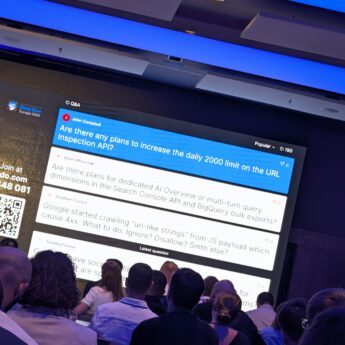
The day closed with a Q&A, and lots of questions were asked.
It was a fantastic three days.
My biggest takeaway is simple. The whole AI stack is built on the SEO stack.
If you want to do well in AI Mode, AI Overviews or any other AI search, your standard SEO has to be in place first.
If you missed them, catch up on the Day 1 recap on crawling and the Day 2 recap on indexing.